

AEO & GEO vs SEO: What's the Difference?
Understand the difference between AEO, GEO and SEO, and why it matters to your brand.
October 14, 2026

Google has recently introduced annotations to GA4. This is a pretty simple but powerful feature that will allow users to add notes directly to their reports. The benefits of this is that it makes it easier to track key events, explain data changes and it will improve internal and external collaboration. The key positive to take from annotations now being a part of GA4 is addition clarity, whether it’s a campaign launch, a website update or an unexpected spike in traffic. Annotations will help provide context within your GA4 reports.
Firstly, you will need Editor level access or higher on GA4. Viewers can see annotations but they won’t be able to create or change them.
Limitations:
Your annotation will then be visible across all reports and report cards contating line graphs. You do have the option of hiding annotations from view if needed.
One thing to be aware of is that Google can automatically create annotations for such things like significant data-impacting events, such as:
These can’t be deleted or turned off but you can hide the annotations if you don’t want them visible
This is another positive step for GA4 and can be a valuable tool if used properly. For any questions or help optimising your current GA4 setup. Get in touch with the team at Fabric https://fabric-analytics.com/contact/
For more information on GA4 Annotations – https://support.google.com/analytics/answer/15884203?hl=en
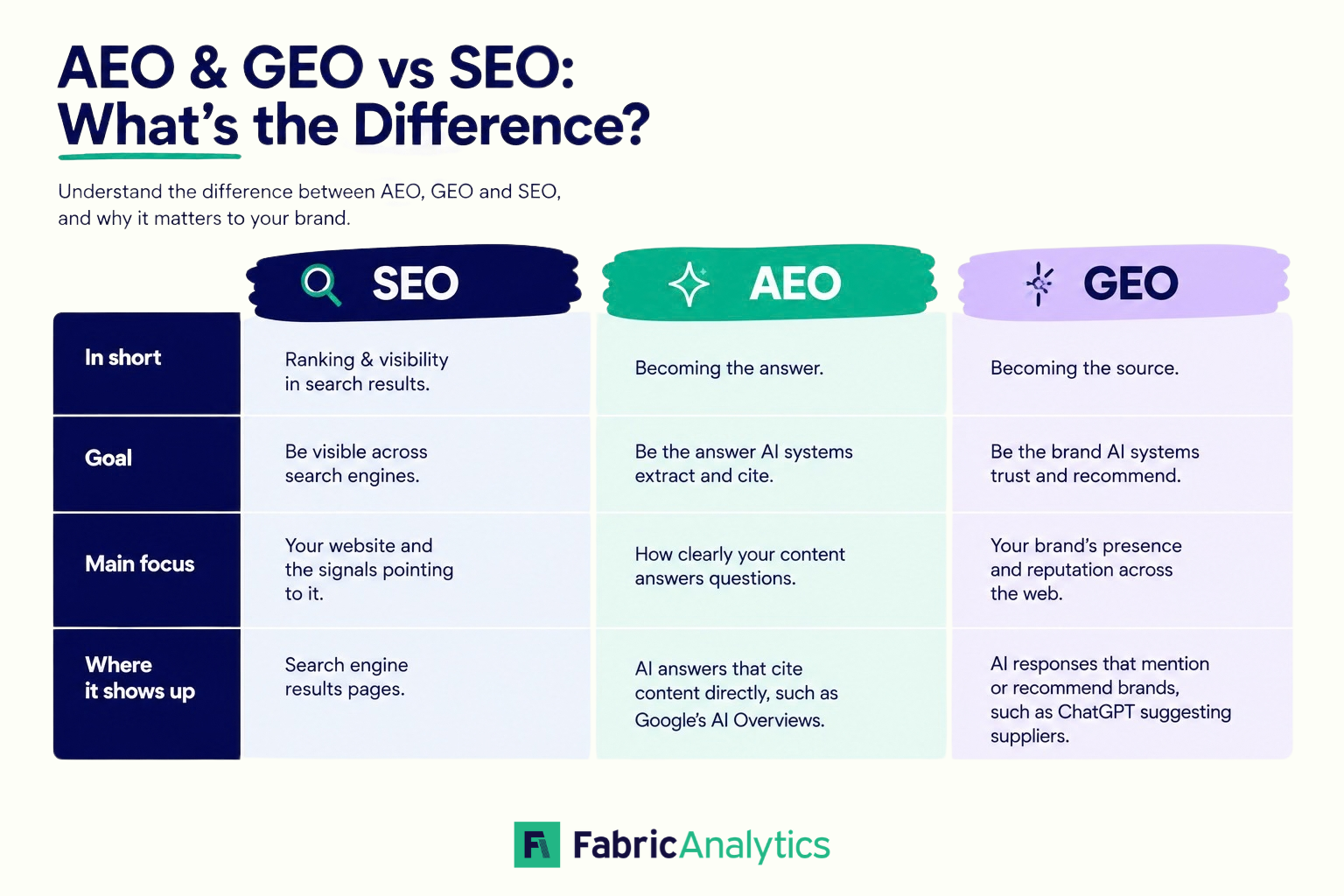
Understand the difference between AEO, GEO and SEO, and why it matters to your brand.
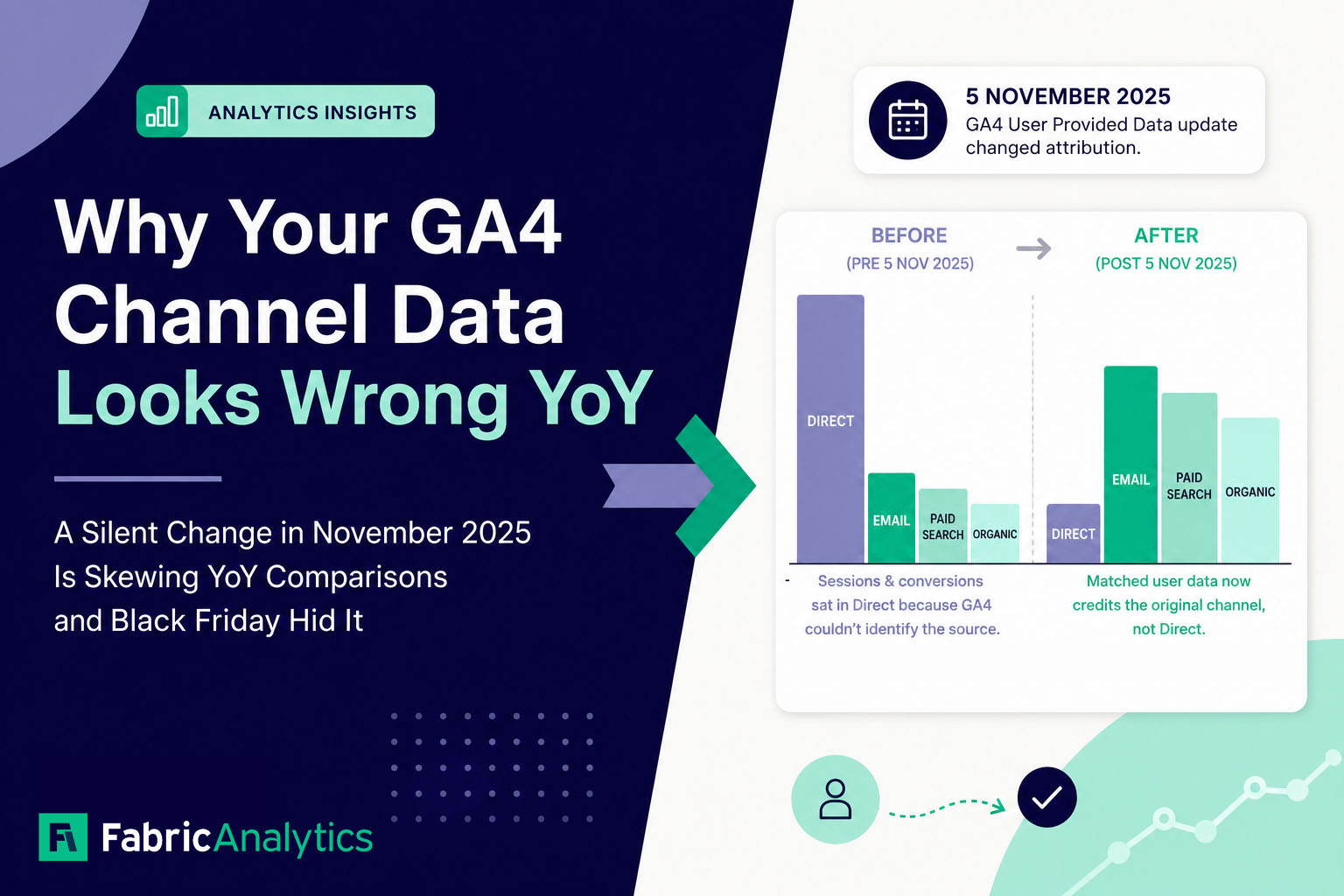
A little-publicised GA4 update in November 2025 changed how traffic is attributed, making YoY channel comparisons misleading for many businesses. Here's what changed, how to spot it, and what it means for your reporting.
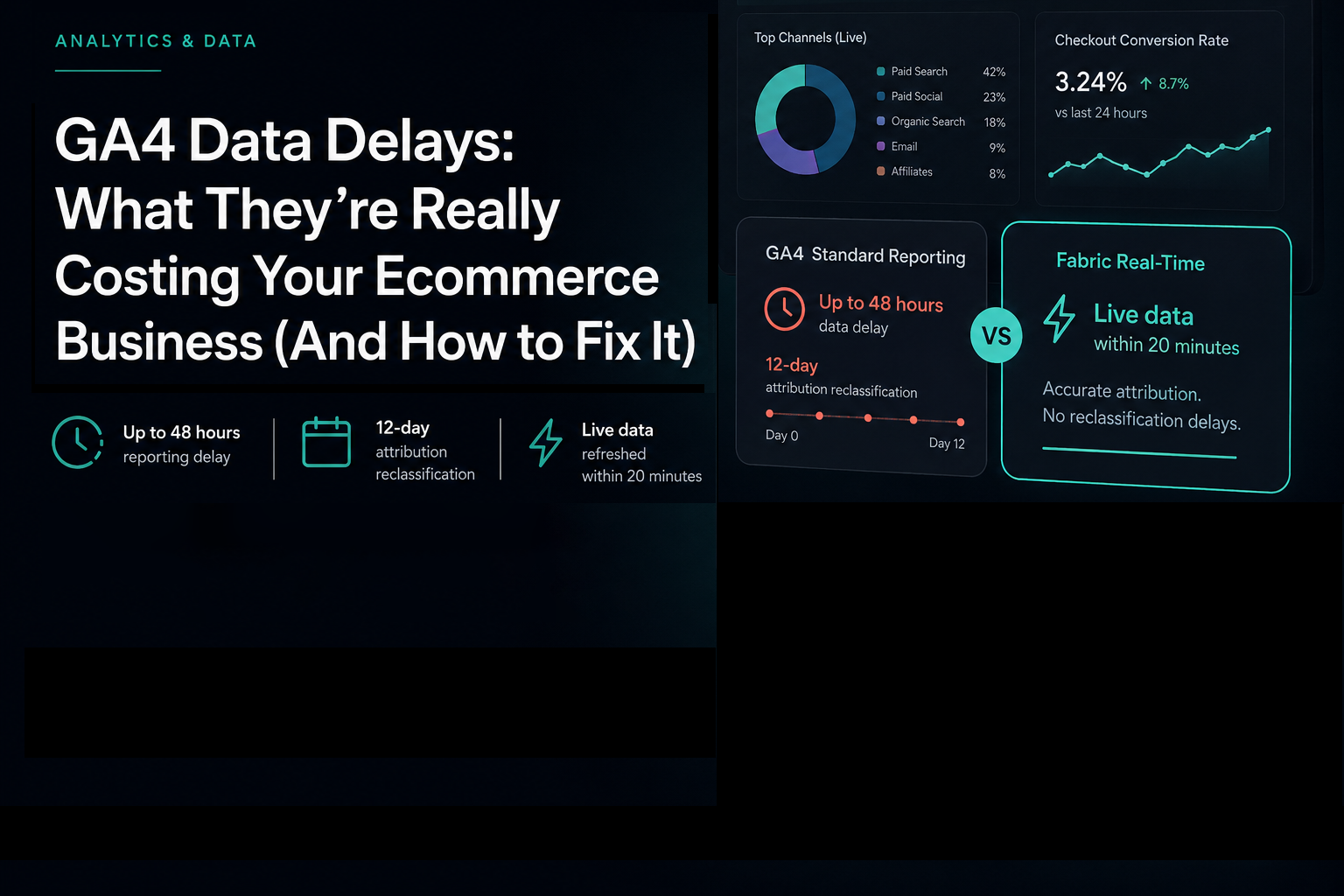
In this post we'll break down exactly what the GA4 data delays are, what they cost in practice, and how leading UK ecommerce brands are solving the problem.